Plugins let you name application actions, such as shop.refund_order, and use them in a flow. Your agent can call the command without reading its implementation each time.
One command for a business action.
Your agent defines commands, snapshots and comparisons in a plugin. A flow can then say “refund this order and check the balance” without repeating the browser steps, SQL and worker checks behind that action.
Each plugin defines which evidence it keeps and how to compare results. The agent can inspect a changed balance or missing entitlement alongside the code change.
The provider framework is Apache-2.0 licensed. Public source and SDK releases are pending; custom integrations currently require private source access.
Run a user journey, capture the screen and compare it with an earlier snapshot. Your agent can check the visible difference against the change you intended.
Illustrative flow excerpt and playback. Comments describe retained evidence and review, not extra plugin commands. Select a checkpoint line to inspect its output; preceding lines provide context.
Output · selected step
Change Summary
Update invitation copy
1 changed screen
invite-memberPassed
team-invitation/settings/team
BeforemainAfterthis change
Opening the invitation form
Snapshot delta · team-invitation Before: role selector present. After: role selector removed.
The test passed. The screen changed.site.snapshot
Agent reviewOutside scope
The role selector disappeared.
This PR changes invitation copy. Owners still need to choose a role before sending an invitation.
Run your application’s own commands and keep their output for comparison. An exit code tells you the command finished; its result tells you what happened.
Illustrative flow excerpt and playback. Comments describe retained evidence and review, not extra plugin commands. Select a checkpoint line to inspect its output; preceding lines provide context.
Output · selected step
fulfill-order.mdLocalBash
worker.bash
command="./bin/fulfill order-1042"
Your application command. Its result becomes a snapshot.
reflow / PostgreSQL · refund checkIllustrative example
Change SummaryAgent review
verify-refund.rflLine 4 · selected step
Illustrative flow excerpt and playback. Comments describe retained evidence and review, not extra plugin commands. Select a checkpoint line to inspect its output; preceding lines provide context.
Output · selected step
verify-refund.mddb: PostgreSQL
db.query sql="SELECT id, status, refunded
 FROM orders ORDER BY id"
key="id" checkpoint="orders"
orders / rows.jsonEarlier runCurrent run
id key
status
refunded
1041
paid
0.00
1042 →
refunded
25.0020.00
1043
paid
0.00
3 rows retained · amounts in USD
Retained before → after1042
refunded25.00→20.00
Agent review · examplerefunds.md
Full refunds return the entire $25.00 payment.
The order says refunded. $5.00 is missing. The captured rows show $20.00 returned. Check the refund amount before merging.
Test signups, email codes and magic links with a remote inbox. Save the email body to a named variable, extract a code or link with your regex, then continue in the browser.
reflow / Mailbox · email sign-inIllustrative example
Flow executionAgent review
email-sign-in.rflLine 6 · selected step
2inbox.cursor name="signup" -> beforeCurrent line
5inbox.extract text=${email_body} pattern="code is ([0-9]{6})" group=1 -> codeCurrent line
Illustrative flow excerpt and playback. Comments describe retained evidence and review, not extra plugin commands. Select a checkpoint line to inspect its output; preceding lines provide context.
Output · selected step
Named inboxsignup
inbox.address name="signup" -> email
email = "signup-7k3@example.test"
Same address across reruns, until reset.
Request a fresh codesign-in.md
inbox.cursor name="signup" -> before
click role=button name="Send code"
inbox.extract text=${email_body} pattern="code is ([0-9]{6})" group=1 -> code
The first regex group becomes code. The browser uses that value below.
fill label="Verification code" ${code}
email_body · before / afterIllustrative snapshots
Earlier runYour code is 617203.
This runYour code is 831204.
Delta: verification code changed. A fresh message is expected. The cursor keeps the previous run’s email out of this capture; the extracted current code is 831204.
Illustrative playback. Contract digest abbreviated in the request line; expand Complete flow step for exact source. Checkpoint names and comparison comments are presentation labels. Select a checkpoint line to inspect its output; preceding lines provide context.
Connect as one test identity, list the tools your server exposes, call them and assert what comes back. Reflow keeps each result with the run, so your agent can compare it with an earlier run.
reflow / MCP · billing serverRecorded output · fixture data
Flow executionAgent review
Captured billing flowLine 11 · selected step
1api.connectCurrent line
3api.call tool="search_invoices" arguments="{\"query\":\"overdue\"}" expect="{\"textIncludes\":\"INV-1042\"}"Current line
4api.call tool="get_invoice" arguments="{\"id\":\"INV-1042\"}" expect="{\"isError\":false,\"json\":[{\"pointer\":\"/status\",\"equals\":\"overdue\"},{\"pointer\":\"/amount_due\",\"type\":\"string\"}]}"Current line
5api.call tool="void_invoice" arguments="{\"id\":\"INV-1042\"}" expect="{\"rpcError\":-32602}"Current line
6api.disconnectCurrent line
8# Run 2 repeats the same steps in a new sessionCurrent line
9api.call tool="get_invoice" arguments="{\"id\":\"INV-1042\"}" expect="{\"isError\":false,\"json\":[{\"pointer\":\"/status\",\"equals\":\"overdue\"},{\"pointer\":\"/amount_due\",\"type\":\"string\"}]}"Current line
Exact recorded RFL. ‘invoice’ names the retained result in this presentation; it is not a runtime checkpoint. Comment lines explain retention and comparison. Select a checkpoint line to inspect its output; preceding lines provide context.
All recorded steps repeated, including the expected refusal and disconnect.Run 2 · 7 of 7 expectations passed
The retained invoice still says overdue. The amount due is now 0.00; passing expectations alone do not establish that this change is intended.
Delta · invoiceBefore · Run 1 → After · Run 2
step
Before
After
compared
tools/list
2 of 2 passed
2 of 2 passed
= match
search_invoices
1 of 1 passed
1 of 1 passed
= match
get_invoice
3 of 3 passed
3 of 3 passed
≠ differs
void_invoice
1 of 1 passed
1 of 1 passed
= match
Review point · get_invoiceretained text
Before · Run 1{"id":"INV-1042","status":"overdue","amount_due":"120.00","currency":"USD"}
After · Run 2{"id":"INV-1042","status":"overdue","amount_due":"0.00","currency":"USD"}
Every expectation passed in both runs, yet the retained get_invoice results differ. Highlighted: the field that changed.
Agent review · exampleINV-1042 is still overdue, but its amount due now reads 0.00. Was that change intended?
Recorded MCP plugin output from two runs against a synthetic billing server on localhost. “Sent” is the request the server received; replies, checks and comparisons are the plugin’s retained snapshots. Fixture data; layout illustrative. “invoice” is a presentation label for the retained get_invoice result, not a named runtime checkpoint.
Run your application’s tests, workers and build commands inside an Ubuntu container and keep their output for comparison. Your agent can spot a changed result even when every command succeeds.
5# After · PR · same commands, fresh containerCurrent line
6container.bash command="./bin/test"Current line
Recorded plugin invocations shown in flow syntax. Checkpoint names label this presentation; the capture used the plugin host directly, not reflow apply. Select a checkpoint line to inspect its output; preceding lines provide context.
Output · selected step
Real plugin output, synthetic shop app. IDs shortened, setup flags abbreviated. Driven directly through the plugin host; checkpoint names below are presentation labels, not stored Reflow checkpoints. Full capture and fixture source
“Both runs succeed, but the package now ships a 14-day refund window instead of 30. The PR comment says the shorter window is for local test fixtures. Should production keep 30?”
Development prototype · private source installation
Let your agent run native application journeys in a fresh macOS VM, inspect screenshots and accessibility snapshots, and compare the evidence with an earlier run. SwiftVM is used in Reflow QA through private source installation; it is not bundled with the public CLI.
Your agent drives the journey. Your desktop stays yours.
Controller actions from the 16 October recording, before Reflow guest_run integration. This trace follows that recording; the current guest_run flow is shown separately on the VM page. Select a checkpoint line to inspect its output; preceding lines provide context.
Recorded output · selected phase
144.5 sVerdictPassed, with nothing shown on the host desktop
Visual checkpoints · one recorded run
Before input0
No-input control0
After host click1
Within-run delta: 0 → 1 after input; the no-input control stayed at 0. Counts are read from the VM screenshots, not a cross-run snapshot comparison.
0.0 sCloneSealed template cloned and checked against its seal
9.9 sBootVM started off-screen, no network
30.0 sGuest readyGuest agent connected to the host
34.7 sTestsBuilt in the guest; 3 of 3 tests passed
135.1 sApp launchedSample counter app on the hidden display
138.3 sHost clickCount read from screenshots: 0, 0, then 1
141.9 sStoppedStop confirmed; clone removed at 143.3 s
144.5 sVerdictPassed, with nothing shown on the host desktop
Required checks from this run
passedhost-window-hidden133 samples, no window on screen
passedtest-pass-result3 of 3 Swift tests passed
passedgui-host-input-proofCount 0, 0 without input, 1 after the click
passedcleanup-confirmedClone removed after a confirmed stop
All 19 required checks passed. Coverage was not requested.
Composited from one recorded prototype run (16 October 2026 UTC, one Apple Silicon host, macOS 27.0.1 guest). The macOS frames are captures from the VM’s own display, time-compressed from 144 seconds to 12. The dark intervals are not captures: no frames were kept during clone and boot, and the VM has stopped at the end. The crossfades, zoom and click ring are added. Times come from the run journal. Not a performance figure. This recording predates the source-installed vm.guest_run integration now used in Reflow QA; it does not show that Reflow flow.
Development prototype · guest executor used in SwiftVM
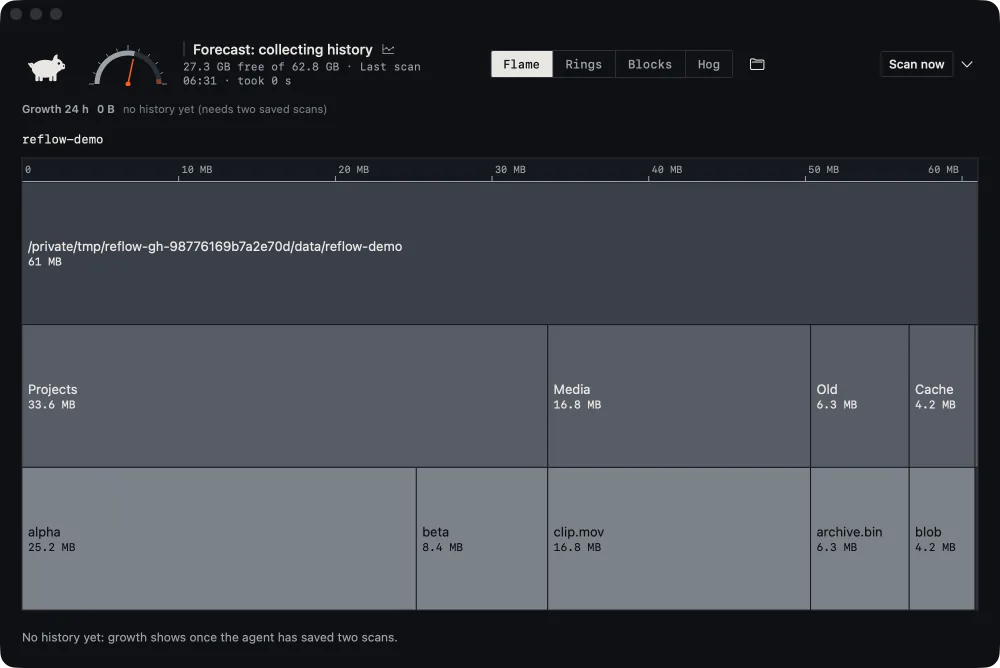
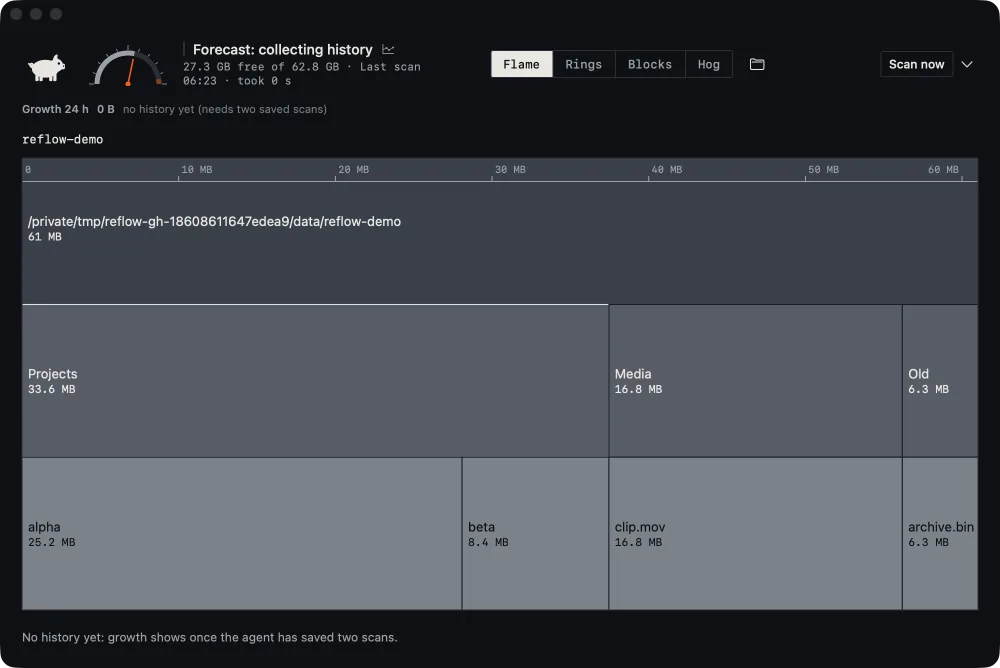
Let your agent press native controls, wait for the expected state and retain named window captures with accessibility snapshots. The MacOSApp guest executor runs these journeys inside source-installed SwiftVM guests, so your agent can compare what changed without taking over your desktop.
2expect gigahog.breadcrumb.item.0 · “reflow-demo”Current line
3expect gigahog.mode.flame · presentCurrent line
5waitFor gigahog.plot · presentCurrent line
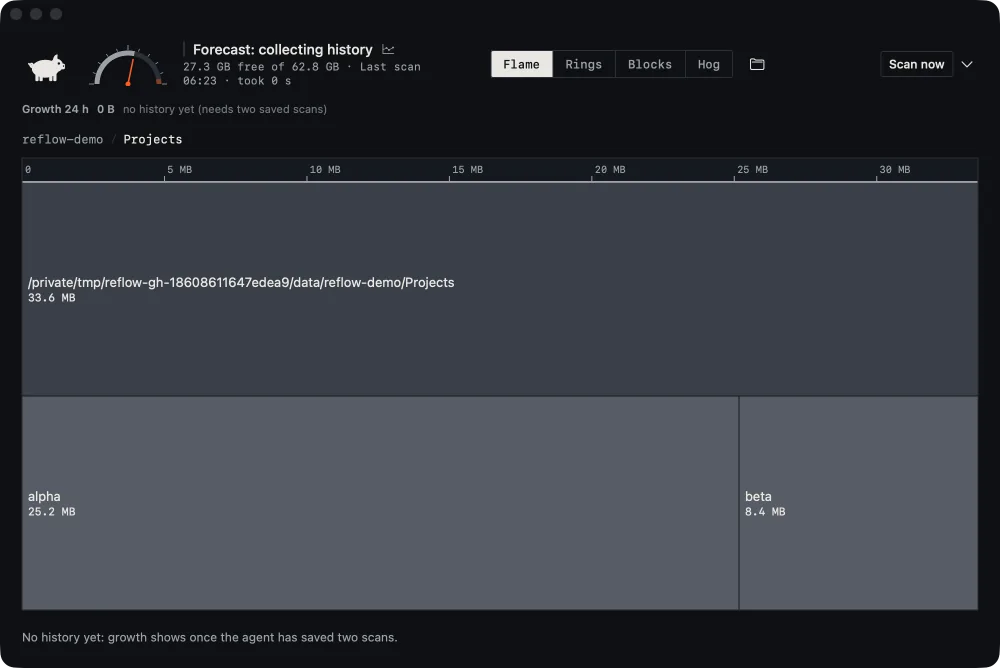
6press “Projects, 33.6 MB”Current line
7waitFor “alpha, 25.2 MB” · presentCurrent line
8expect gigahog.breadcrumb.item.1 · presentCurrent line
10press gigahog.breadcrumb.item.0 · “reflow-demo”Current line
11waitFor gigahog.breadcrumb.item.1 · absentCurrent line
13# Presentation: compare base and injected-change runsCurrent line
Recorded MacOSApp actions, grouped by named capture. Comparison comments describe this presentation, not runtime commands. Select a checkpoint line to inspect its output; preceding lines provide context.
The app quit through its own Quit command; cleanup confirmed.
Retained by this run
timeline.json
ax/002-after.json
ax/006-after.json
window/zoomed-1.png
window/back-1.png
J03 zoom-and-back · base build vs injected changecompare
Δ
window/zoomed-1.png24×47 px at 244,117
Run comparison6 artifacts
window/zoomed-1.png
Changed0.27% of pixels, one 24×47 px region
window/back-1.png
Changed0.22% of pixels, the same region
4 accessibility snapshots
Samescan times and temporary paths normalized
8 actions
Passedin both runs
Base buildInjected changeChanged pixels
Agent review · example interpretation
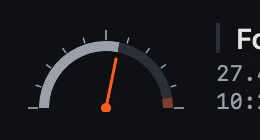
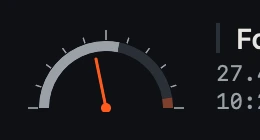
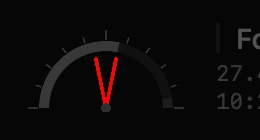
Every step passed. The gauge did not. The accessibility snapshots match, but the needle is drawn mirrored: the disk is more than half full and the needle now leans left. Was the gauge drawing meant to change?
Real MacOSApp window captures and accessibility snapshots from QA runs of Gigahog, a disk-usage app in development, on synthetic folders. Screens from separate runs of one build are shown in sequence; before each press, the run’s other root or zoomed capture stands in for the screen. The needle change was injected on purpose; its crops come from one round of that exercise and the comparison figures from a repeat, outlined here on another run’s capture. The guest executor is used inside source-installed SwiftVM guests; the standalone host provider is a separate development candidate. MacOSApp is not bundled with the public CLI.